
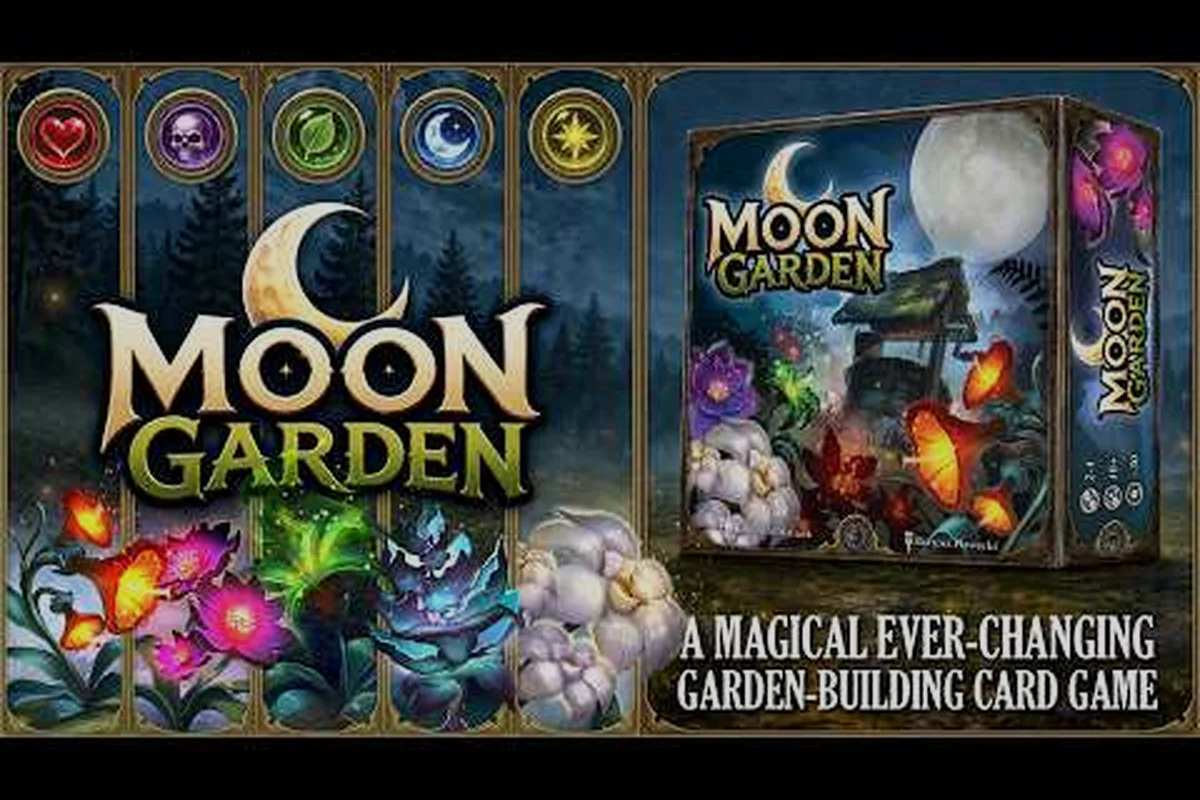
Stepping into Moon Garden for the first time can feel like walking into a soft-lit greenhouse full of unlabeled buttons. This new player checklist breaks down exactly what to do first so you spend your first hour planting, pulling, and upgrading instead of staring at the UI. Moon Garden is a cozy incremental about growing a giant tree on the moon, and the systems click quickly once you know the order of operations.
How Moon Garden Works Before You Press Anything
Moon Garden runs on a tight incremental loop: plant flowers in Garden Pods to produce pollen, spend pollen on seeds from a pachinko vending machine, plant rarer seeds for bigger yields, convert excess pollen into Stardust for permanent upgrades, then build small Helper Robots to automate the work. According to the official Moon Garden page on Steam, that core loop is the entire game. Everything else — satellites, mulch stacks, the central tree — is layered on top to make the loop feel more rewarding as you push toward escape.
The game is a mouse-driven incremental with no combat, no fail state, and no enemies. Released 11 Sep 2026 by developer/publisher Kairos Games LLC, Moon Garden is Windows-only and supports 9 languages including English, French, German, Spanish, Japanese, Polish, Portuguese-Brazil, Russian, and Simplified Chinese. The visual style is soft pixel art with a gentle ambient soundtrack that leans hard into the cozy genre. If you have played titles like Webbed or Strange Horticulture, the vibe will feel familiar even though the mechanics are pure idle.
Because the UI introduces several mechanics at once, community feedback at launch noted that newcomers can feel overwhelmed by helper text for the Seed Vender, the Stardust Cache, and the Robot Bay opening in rapid succession. The good news is that you do not need to learn everything at once. The first hour only needs four or five things running at the same time, and the rest can be ignored until later.
The Five Core Resources You Will Touch First
| Resource | Where it comes from | What it buys | First-hour priority |
|---|---|---|---|
| Pollen | Garden Pods harvest | Seeds, more pods | Highest — the engine of growth |
| Seeds | Pachinko vending machine | Rarer flower species | High — unlocks bigger pollen output |
| Stardust | Mulching the tree | Permanent upgrades | Medium — save for first few unlocks |
| Robot Cores | Crafted from pollen + stardust | Helper automation | Low — wait until pods are stable |
| Tree Height | Pods and mulching feed it | The win condition | Track only, do not force it |
Your first decision after the intro cutscene is which Garden Pod to unlock first. Most new players grab the cheapest available pod because it lets them start a pollen pipeline in under a minute, which then funds everything else. If you want a more deliberate run, our first hour walkthrough maps that opening in detail.
Your First Five Minutes in Moon Garden
Your first action after the intro cutscene is unlocking a Garden Pod, planting the free starter seed the game hands you, and waiting for the first pollen drop. The starter seed grows in about ten seconds, which gives you just enough time to read the helper text on the Stardust Cache and the Robot Bay without falling behind. The pachinko vending machine is intentionally placed beside the pods so you can see your new seeds land in real time.
The order of operations for the first five minutes looks like this:
-
Unlock your first Garden Pod (cheapest available)
-
Plant the starter seed the game gives you for free
-
Wait for the first pollen harvest, then immediately buy one pachinko pull
-
Plant whatever seed you got, even if it looks like a downgrade
-
Open the Stardust Cache and read the three upgrade categories before buying anything
That last step matters more than it looks. The Stardust Cache has three upgrade trees — pod speed, pachinko luck, and robot efficiency — and the cheapest purchases in each are tempting but spread thin. New players who dump all their first stardust into a single tree often regret it once they see what the other two unlock. The community-recommended split for the first 25 stardust is roughly 10 into pod speed, 10 into pachinko luck, and 5 into robot efficiency, though the exact split can shift based on which seed tiers the machine gives you.
First-Hour Decision Tree
| If you get this from pachinko... | Plant it here | Spend stardust on... |
|---|---|---|
| Tier 1 starter | Any free pod | Pod speed for faster cycles |
| Tier 2 common | New pod if available | Pachinko luck to reach tier 3 faster |
| Tier 3 rare | Best available pod | Robot efficiency to automate harvest |
| Tier 4+ | Hold one, plant one | Save stardust for pod expansion |
The table above is not gospel — it is a starting template that community data shows works for the first hour. Once you have two pods running and a robot harvesting on a loop, you can stop micro-managing and let the idle math take over.
Moon Garden Game Review Snapshot for New Players
Moon Garden sits comfortably in the cozy incremental niche and, based on community reports at launch, delivers a calm five-to-eight-hour first playthrough with extra runs for players chasing 100% tree completion. The game runs on a 2D pixel-art engine with parallax background layers that shift as your tree grows, and the soundtrack is built around soft synth pads and gentle chimes that loop without ever feeling repetitive. According to community reports, the soundtrack is one of the strongest features of the launch build.
Mechanically, the game is closer to a clicker than a strategy game. You make a handful of meaningful decisions per session — which pod to expand, which stardust upgrade to buy, which robot to deploy — and the rest is watching numbers go up. That is the point. There is no combat, no fail state, and no pressure to optimize, which makes it a strong fit for players who want something low-stress after a long day. Our broader game review angle on what to play first covers the comparison to similar cozy games if you want a second opinion before committing.
What Moon Garden Does Well vs. Where It Stumbles
| Aspect | Strength | Weakness | New player impact |
|---|---|---|---|
| Loop clarity | Five resources, clear flow | UI dumps systems at once | Read helper text slowly |
| Pacing | First pods unlock in seconds | Mid-game grind stretches | Plan a short play session first |
| Automation | Robots feel earned | Robot recipes need stardust | Don't rush the Robot Bay |
| Win condition | Visible tree growth | "Escape" timer is abstract | Check tree height, not wall clock |
| Replay value | New Game+ tweaks | Limited to 2-3 run shapes | One full run is enough to judge it |
For a closer look at how long that first run actually takes, the Moon Garden game length and time-to-beat guide breaks down average hours per chapter. Most players finish the main tree in five to eight hours and 100% in twelve to fifteen, according to community data.
Starting Strong: A Moon Garden How-To-Start Plan
Your goal for the first hour is simple: stabilize one pollen pipeline, learn the pachinko rhythm, and pick a stardust path you actually want to commit to. The phrase "moon garden how to start" gets thrown around in community threads a lot because the game hands you too many things at once, and the answer most experienced players give is to ignore three of the four open UI panels and focus on the Garden Pod row first. That is the only place where your attention matters for the first 20 minutes.
A clean opening routine looks like this:
-
Spend your first 100 pollen on a second Garden Pod, not a third seed pull
-
Pull the pachinko lever three times in a row, then stop and plant what you got
-
Save at least 25 stardust before buying any permanent upgrade
-
Build your first Helper Robot only after both pods are running steady
-
Mulch the tree once it is at 10% growth, not earlier
Mulching earlier than 10% is a common beginner mistake because the stardust reward looks tempting. The catch is that the tree's growth rate compounds, and an early mulch throws away future pollen output that you will need to fund robot crafting. If you want the full breakdown of what pollen actually does and why mulching timing matters, our what is pollen guide covers the math in detail.
Build Order Cheat Sheet
| Step | Action | Resource cost | What it unlocks |
|---|---|---|---|
| 1 | Unlock second Garden Pod | 100 pollen | Parallel planting |
| 2 | Three pachinko pulls | ~150 pollen | First rare seed |
| 3 | First Stardust Cache purchase | 25 stardust | Pod speed boost |
| 4 | Craft first Helper Robot | 200 pollen + 10 stardust | Hands-free harvesting |
| 5 | First mulch at 10% growth | Free, opens menu | Permanent upgrade points |
Once step 5 is done, the game shifts from active to idle. The Helper Robot handles harvest, the Stardust Cache pays you for mulching, and the pachinko machine becomes the only thing that asks for your attention. That is the moment when Moon Garden stops feeling like a list of things to do and starts feeling like a cozy background toy. If you want to know what to do after the first mulch, the idle guide for Moon Garden walks through the second-hour automation phase.
When You Hit Your First Wall (And How to Push Through)
Every Moon Garden run hits a soft wall somewhere between the second and third robot unlock, usually because pollen output stops scaling and the next pachinko tier feels out of reach. The wall is real, but it is also designed: it exists to push you toward the satellite system, which most new players ignore because the UI buries it under the Stardust Cache. Satellites cost more than robots but they multiply pod output across the entire garden, so they break the wall in one upgrade instead of three.
The other common wall is the tier-5 seed grind. Pachinko luck upgrades help, but the real unlock is the Seed Sorter building, which lets you trash unwanted seeds for a small pollen refund. Once the Seed Sorter is online, you stop wasting pod slots on tier-1 seeds and your average output per pod jumps noticeably. The community consensus is that the Seed Sorter is the single most underrated first-day purchase, and most new players wish they had built it before their third robot.
Wall-Specific Recovery Moves
| Wall you hit | Real cause | Fastest fix | Long-term fix |
|---|---|---|---|
| Pollen flatlines | Too many tier-1 seeds | Plant only tier-2+ | Build the Seed Sorter |
| Stardust starved | Mulched too early | Save mulch for 25% growth | Unlock pod speed upgrades |
| Pachinko stuck | Luck upgrade missing | Buy 3 luck tiers in a row | Aim for the Seed Sorter drop |
| Robot idle | Not enough pods | Build a third pod | Aim for satellite unlock |
| Tree stuck at 5% | Mulched before 10% | Stop mulching for 20 min | Wait for compound growth |
The table above comes from community reports, not official documentation, so exact numbers can shift with patches. As of the launch build on Steam, these moves hold up across most new player runs, and the developer has been active in the Steam community forums tuning the pacing where walls show up too early.
Frequently Asked Questions
What should I do first in Moon Garden?
Unlock your first Garden Pod, plant the free starter seed, and wait for pollen. Then buy one pachinko pull and plant whatever you get. Save 25 stardust before buying any permanent upgrade, and build your first Helper Robot only after two pods are running. This order keeps your first hour focused on the core loop instead of side systems.
How does Moon Garden actually work?
Moon Garden is a cozy incremental where you plant flowers in Garden Pods to make pollen, spend pollen on seeds from a pachinko vending machine, and convert excess pollen into Stardust for permanent upgrades. Helper Robots automate harvesting, and the central tree grows as you feed it, which is the win condition.
Is Moon Garden worth playing as a cozy game?
Yes, based on community reports at launch. The game has soft pixel art, a calm ambient soundtrack, no combat, and no fail state. A first run takes five to eight hours and 100% completion runs twelve to fifteen. It is one of the gentlest incremental games released in 2026.
How do I start Moon Garden without feeling lost?
Ignore the Satellite and Seed Sorter UI for the first 20 minutes and focus only on Garden Pods and the pachinko machine. Read the helper text for each new building slowly because the UI introduces several mechanics at once. Our first hour walkthrough gives a minute-by-minute plan if you want a tighter script.
Do I need to rush the tree to escape the moon?
No. The tree growth target is the win condition, but the game has no timer and no punishment for slow progress. Mulching too early is a common mistake that costs more stardust than it saves, so plan your first mulch around 10% growth and let compound output do the work from there.