
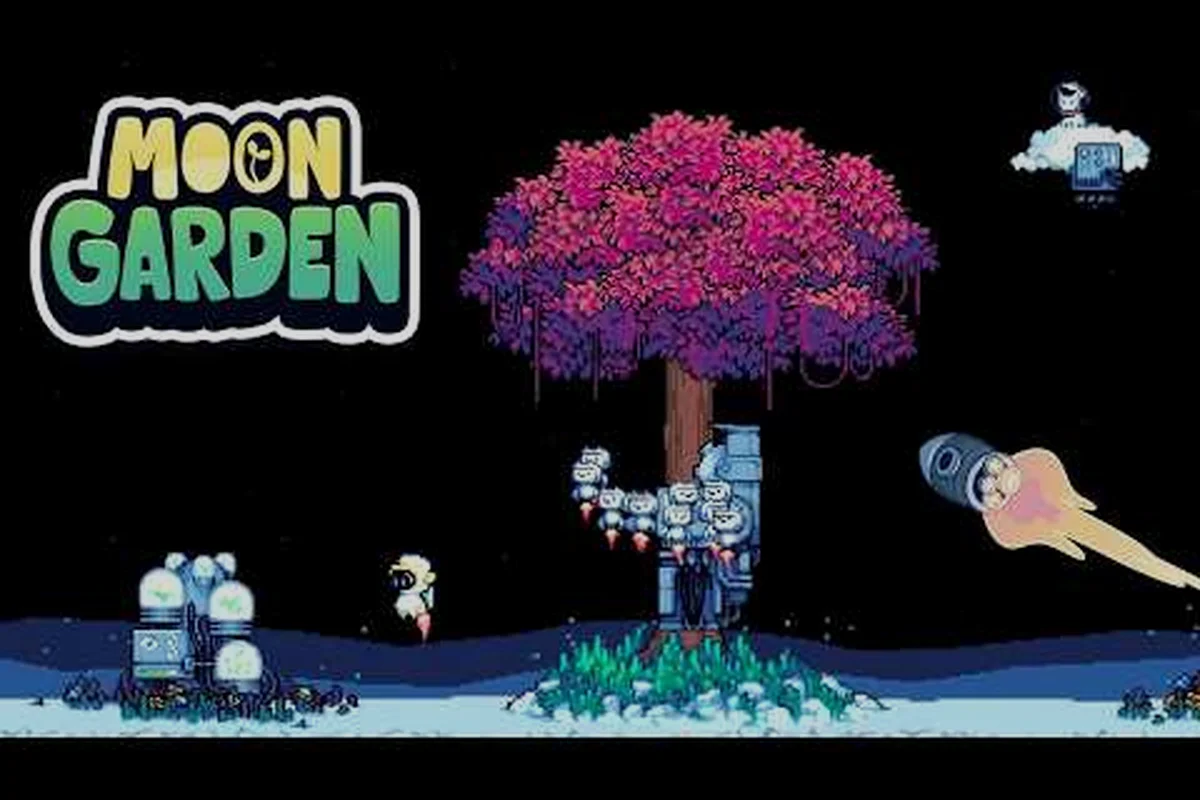
Moon Garden gameplay centers on a calm, mouse-driven incremental loop where you arrange flowers, pull seeds from a pachinko machine, automate production with little robots, and mulch your central tree so it grows taller with every cycle. Released 11 Sep 2026 by Kairos Games LLC, the title has quickly become a reference point for cozy incremental fans who want meaningful progression without combat pressure. This walkthrough breaks down the core loop, the controls, and the UI elements so your first few hours feel deliberate instead of confusing. Details appear on the Steam reviews.
How the Gameplay Loop Plays Out
Every session in Moon Garden follows a single, repeating rhythm: plant, harvest, spend, upgrade, and reset. According to the official Steam store page, the game frames that rhythm as "growing your way home," with the central tree serving as both your progression meter and your eventual escape from the moon. Once the rhythm clicks, Moon Garden basics reduce to a handful of decisions per cycle rather than a wall of micromanagement.
What You Actually Do Each Cycle
The cycle is short, which is part of the appeal. You place flowers into Garden Pods, watch them generate Pollen, spend that Pollen at the pachinko vending machine to grab new seeds, plant rarer seeds for higher output, then convert excess resources into Stardust before mulching the tree to start a new run with permanent bonuses intact.
-
Place flowers in empty Garden Pods to begin passive Pollen generation.
-
Spend Pollen on the pachinko vending machine to roll new seed types.
-
Rarer seeds produce more Pollen and unlock new flower tiers over time.
-
Spend Stardust on permanent upgrades that survive a tree mulch.
-
Build Robots and Satellites to automate planting, harvesting, and mulching.
Why the Loop Stays Cozy
Moon Garden is a mouse-driven incremental with no combat, which means every action on screen is a production decision rather than a survival one. Community testers at launch noted that the pace is intentionally slow, so you can pause mid-session without losing momentum. The result is a loop that rewards planning instead of reflexes, making it one of the more accessible entry points for newcomers to the genre.
Moon Garden Controls and Input Basics
The control surface in Moon Garden is intentionally small, so most players can master the basics within a single afternoon. According to community testing, the game is fully playable with a mouse on Windows 10 or 11, and no controller binding is required for the core experience. Keyboard input is limited to a few shortcuts, which keeps the focus on clicking, dragging, and reading on-screen helper text.
Mouse and Keyboard Bindings
| Action | Default Input | Notes |
|---|---|---|
| Select / place flower | Left click | Drag to move an existing plant |
| Open pachinko machine | Left click on the Vending Machine | Spend Pollen to roll seeds |
| Read helper tooltip | Hover over a building | Recommended before first build |
| Save and exit | Esc → Save & Quit | Game auto-saves between cycles |
| Zoom view | Scroll wheel | Useful for large Garden Pods |
Accessibility and Comfort Settings
The settings menu lets you tweak the visual scale of UI panels, adjust audio levels, and toggle screen shake for the rare moments the camera reacts to milestones. Players who prefer longer sessions can dim the background animation to reduce visual fatigue, while the soundtrack itself is gentle enough that most players leave it at default volume.
Reading the Moon Garden Interface
The Moon Garden UI is split into three primary zones: the Garden Pods in the center, the Resource Bar along the top, and the Upgrade Tree on the right edge of the screen. Each zone answers a different question, so once you understand what each one is telling you, the rest of the game opens up quickly. Some launch reviews mentioned that the UI introduces multiple mechanics at once, which can overwhelm newcomers, so the community recommends reading the on-screen helper text for each new building before expanding.
Resource Bar Breakdown
| Resource | Source | Primary Use |
|---|---|---|
| Pollen | Mature flowers | Spend on pachinko rolls and basic upgrades |
| Seeds | Pachinko machine | Plant into Garden Pods to grow new flowers |
| Stardust | End-of-cycle mulch | Permanent upgrades that persist across runs |
| Research Points | Rare flower drops | Unlock new Garden Pod slots and machine tiers |
Garden Pods and Building Slots
Garden Pods are the planting zones where flowers live, and each one is independent of the others. Early on you only have a handful of Pods, but Research Points gradually unlock additional slots, which means your production capacity scales with how curious you are about the rarer flower types. The on-screen helper text for each new Pod type is worth reading, because each tier introduces a small rule change such as faster growth or higher Pollen yield per seed.
Upgrade Tree and Robot Automation
The upgrade tree lives on the right side of the screen and splits into three branches: Production, Automation, and Mulching. Production upgrades boost Pollen output, Automation unlocks the robots and satellites that handle planting and harvesting for you, and Mulching bonuses amplify the Stardust you earn when the tree resets. Most players push Production first because the returns are immediate, but Automation becomes the long-term win once your Garden Pod count crosses roughly a dozen.
Moon Garden Progression and Milestones
Progression in Moon Garden is measured in tree height, not in levels or experience bars. Each mulch resets your flowers and machines but keeps your Stardust bonuses, so the tree grows a little taller every cycle. The official store page frames the long-term goal as growing the tree tall enough to "escape the moon," which gives every cycle a clear endpoint and a clear reward.
Key Milestones in the First Few Hours
| Milestone | Approximate Cycle | Primary Reward |
|---|---|---|
| First pachinko pull | Cycle 1 | Unlocks seed variety |
| First robot built | Cycle 2-3 | Passive planting |
| First Stardust mulch | Cycle 1 (small bonus) | Permanent +10% Pollen |
| Satellite unlocked | Cycle 4-5 | Off-screen production |
| Tree height tier 5 | Cycle 6-8 | New Garden Pod slot |
How Mulching Resets Work
When you mulch the tree, every flower, seed, and machine on the surface resets to its starting state, but your Stardust upgrades, Research unlocks, and Automation tiers remain. Each cycle therefore starts faster than the last, which is the design hook that keeps the loop engaging. Community data suggests that most players reach the first satisfying mulch within 30-45 minutes, and the second cycle becomes noticeably shorter because robots handle the early planting steps.
Tips for Getting the Most Out of Each Cycle
A few habits compound quickly in Moon Garden, so adopting them early saves hours of grinding later. The tips below are drawn from community testing and from the on-screen helper text that the developer recommends reading before each new build. None of them are mandatory, but each one tightens the loop a little.
Spend Pollen Deliberately
Spending all of your Pollen on a single pachinko pull feels exciting, but spreading rolls across the cycle gives you more chances to land rare seeds. According to community data, players who pull the machine in smaller batches report unlocking the second-tier flowers roughly one cycle earlier than players who dump everything at once.
Read Helper Text Before Building
The on-screen helper text for each new building is short, but it usually contains a constraint you would otherwise discover by accident. Taking ten seconds to read it before placing a new machine prevents the most common rookie mistake: building two machines that compete for the same Garden Pod slot.
Automate Before You Expand
It is tempting to fill every empty Garden Pod as soon as you unlock it, but expanding before robots are built means you have to babysit the harvest yourself. Community testers recommend reaching at least the first Harvester Robot before unlocking more than a handful of Pods, because the manual workload grows faster than the automation does. For a deeper look at how pachinko pulls fit into that expansion, the pachinko tips guide breaks down seed tier priorities and pull timing.
Treat Stardust as a Multiplier
Stardust upgrades are percentage-based, so they scale with whatever your current cycle produces. Spending Stardust on a +10% Pollen bonus early is much more impactful than saving it for a flat +100 bonus later, because the percentage compounds across every flower and every machine you unlock afterwards. The mulching explained guide covers how to time those Stardust dumps for maximum effect at the end of each cycle.
Plan Around the Tree Reset
The mulch is the natural breakpoint of every cycle, so the last few minutes before it should focus on stockpiling Pollen rather than spending it. If you mulch with a full resource bar, the Stardust conversion is meaningfully higher, which means the next cycle starts with a stronger permanent bonus. New players who want a step-by-step walkthrough of the reset timing can check the progression guide for a full timeline of the first five cycles.
Specs and First-Launch Setup
Before diving into the loop, it helps to know whether your PC can run Moon Garden smoothly. According to the Steam store page, the minimum and recommended specs are modest, which is consistent with the pixel-art visual style. The game is Windows-only at launch and supports 9 languages including English, French, German, Spanish, Japanese, Polish, Portuguese-Brazil, Russian, and Simplified Chinese.
| Spec Tier | OS | CPU | RAM | GPU | Storage |
|---|---|---|---|---|---|
| Minimum | Windows 10 | Intel Core i3-2100 / AMD FX-4300 | 4 GB | Intel HD Graphics 4000 or equivalent | 500 MB |
| Recommended | Windows 10/11 | Intel Core i5-4590 / AMD Ryzen 3 1200 | 8 GB | NVIDIA GTX 750 / AMD R7 260 or better | 500 MB |
Most players on a desktop or laptop built in the last decade will land in the recommended tier without any upgrades, and the game runs at a stable frame rate even on integrated graphics according to community reports from launch day. For a quick look at the official announcement trailer and how the loop plays in motion, the Moon Garden announcement trailer on YouTube gives a one-minute walkthrough of the planting and mulching sequence.
Where Moon Garden Gameplay Goes After Launch
The launch version of Moon Garden is intentionally focused, with a single progression path from your first seed to a tree tall enough to leave the moon. The developer has hinted at additional flower tiers, machine types, and story chapters in future updates, but the core loop described above is what every player experiences first. For a detailed look at how flower types and machine synergies change your production math, the flower production guide maps out which flowers pair best with each robot and satellite you unlock.
The combination of a forgiving pace, a small but meaningful upgrade tree, and a clear long-term goal is what makes Moon Garden basics easy to learn and hard to put down. Once the rhythm of plant, harvest, spend, and mulch becomes second nature, the rest of the game is just a matter of which branch of the upgrade tree you decide to push first.
Frequently Asked Questions
What is the main loop in Moon Garden gameplay?
The main loop is plant flowers in Garden Pods, spend Pollen at the pachinko vending machine to roll new seeds, plant rarer seeds for higher output, convert excess resources into Stardust, and mulch the central tree to start a new cycle with permanent upgrades intact. Each mulch makes the tree grow taller until it is tall enough to escape the moon.
Do I need a controller to play Moon Garden?
No. Moon Garden is a mouse-driven incremental with no combat, so a left click and a scroll wheel are enough for the full experience. Keyboard input is limited to a few shortcuts, and most players never need to rebind anything during a normal session.
What does the Moon Garden UI show on the resource bar?
The resource bar tracks Pollen, Seeds, Stardust, and Research Points, with each one tied to a specific action. Pollen is spent at the pachinko machine, Seeds are planted into Garden Pods, Stardust funds permanent upgrades after a mulch, and Research Points unlock new Pod slots and machine tiers as you progress.
How long does a single Moon Garden cycle last?
A typical first cycle lasts 30-45 minutes according to community data, and each subsequent cycle becomes shorter because robots and satellites handle more of the manual work. By the time you reach the third or fourth mulch, a full cycle often takes less than 15 minutes of active clicking.
Can I save and exit mid-cycle without losing progress?
Yes. The game auto-saves between cycles and offers a Save and Quit option in the pause menu triggered by Esc. Closing the game mid-cycle is safe because the resource totals snapshot at the start of each cycle, so you resume exactly where the last mulch ended.